



HPE ProLiant DL585 G7 Configure-to-order Server
590480-B21
HPE identifies 697741-001 as the NC331i system peripheral interface (SPI) board for the ProLiant DL585 G7. Use as a like-for-like service replacement after checking the installed NC331i assembly and board revision by serial.
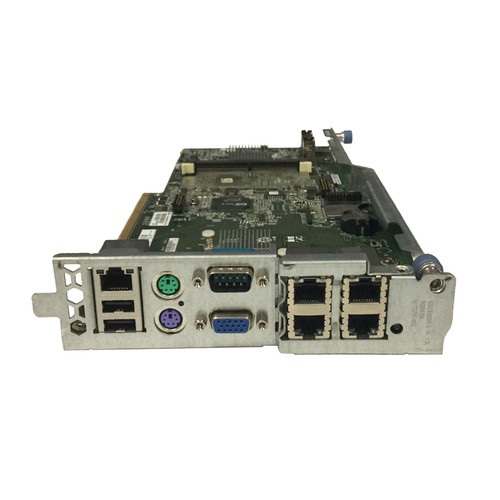
| Product Type | System Peripheral Interface Board |
|---|---|
| Brand | HPE |
| Manufacturer Part Number | 697741-001 |
|---|---|
| Product Category | Cables |
Select inventory and enter the quantities you need.
| Inventory type | SKU | In stock | Qty. |
|---|---|---|---|
| 697741-001 | 3 |
Stock updated 2026-11-09. Availability is confirmed with your quote; requested quantities do not reserve stock.
Listed products · Check fit details before ordering.
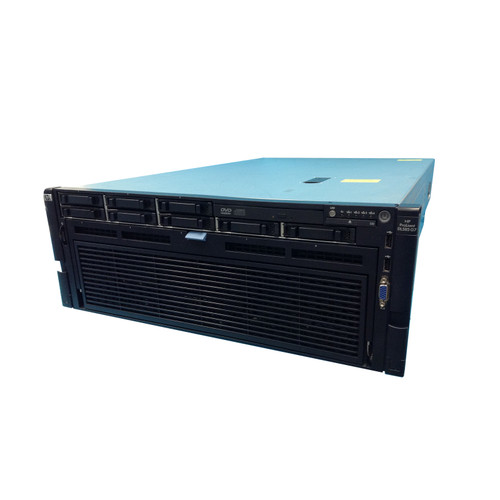
590480-B21
20 in stock
Helpful answers for the product or service you are exploring.
HPE ProLiant DL Servers
HPE lists CPU Memory Secondary Upgrade Option 590489-B21 to add sockets three and four and their associated DIMM slots. A complete expansion needs the supported assembly, CPUs, memory and cooling review. Buying two loose processors does not establish that the system has the required hardware.
Documented options in the CBS catalog: 590489-B21, 593913-B21. Confirm the complete configuration and included kit contents before ordering.
Related server: HPE ProLiant DL585 Gen7 Configurations.
Browse server processors. Match the exact platform and option number before selecting a part.
HPE DL585 GEN7 documentation · Reviewed
HPE ProLiant DL Servers
No. HPE restricts LRDIMM support to Opteron 6200 and 6300 series processors. Identify the installed CPU series before choosing high-capacity memory. Use the G7 population rules and a single supported DIMM technology throughout the configuration.
Related server: HPE ProLiant DL585 Gen7 Configurations.
Browse server memory. Match the exact platform and option number before selecting a part.
HPE DL585 GEN7 documentation · Reviewed
HPE ProLiant DL Servers
No. Socket count describes scale, not platform compatibility. Include the complete server product number, installed CPU family and the failed component’s spare number. Have CBS check the precise CPU, memory and board requirements rather than selecting a part from another four-socket family.
Networking
Provide a simple connection list: which devices connect, required speeds, cable distances and media types. Include existing model numbers, power needs and management requirements. List the optics, cables and licenses as well as the main switches or adapters.
Talk to CBS about products, configuration and support.