

HPE ProLiant DL180 Gen10 Configurations
Browse available HPE ProLiant DL180 Gen10 Configurations. Select a specific configuration from the products below. Each child SKU retains its own technical details, compatibility information, condition, and inventory handling.
Product images
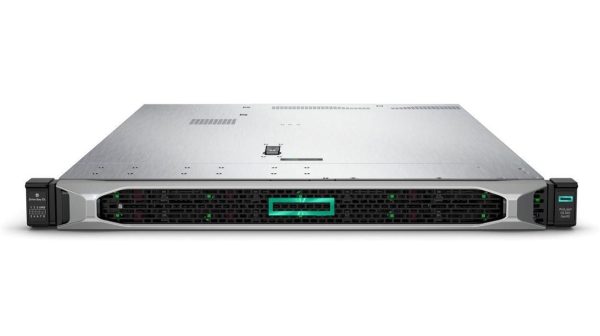
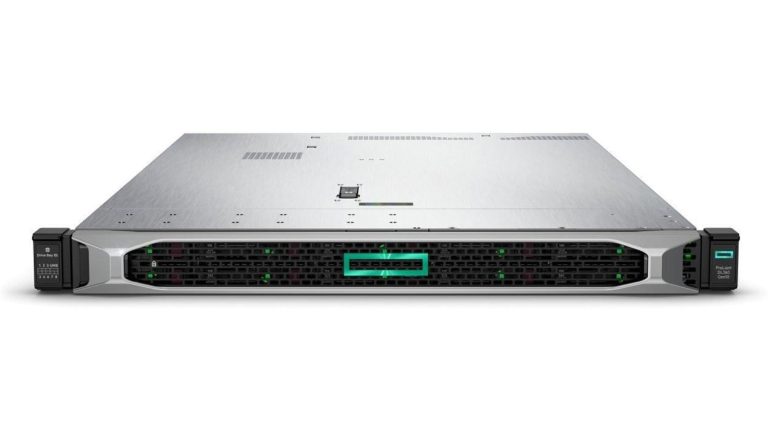
Contact CBS for product specifications.
Available inventory
| Inventory type | SKU | In stock |
|---|
Stock updated 2026-11-09. Availability is confirmed with your quote; requested quantities do not reserve stock.
Questions & Answers
Related questions
Helpful answers for the product or service you are exploring.
Does a DL180 Gen10 GPU upgrade require more than the graphics card?
HPE ProLiant DL Servers
It can. HPE lists a CPU2 riser and GPU enablement kit that includes the GPU cable, and cooling depends on the configuration. Confirm the supported GPU, installed CPUs, risers, power and airflow together. Include all required enablement parts in the quote.
Explore DL180 GEN10 configurations and options.
HPE product documentation · Reviewed
Are Intel and AMD ProLiant Gen10 memory-population rules identical?
Servers
No. Use the guide for the CPU architecture and exact server. Channel count and slot layout differ across platforms. Balance memory across installed processors using the applicable diagram rather than a generation-wide rule.
HPE product documentation · Reviewed
Why does the generation matter when ordering ProLiant DL hardware?
HPE ProLiant DL Servers
Use the complete model name, such as DL380 Gen11, rather than DL380 alone. Review that generation's QuickSpecs for supported options and configuration dependencies. A familiar family name does not establish that an older component is a supported upgrade.
HPE ProLiant DL380 Gen11 QuickSpecs · Reviewed
What information matters for a rack-server quote?
Rack Servers
Include available rack space and depth, power connections, workload, required storage capacity and network connections. Identify any rails, cable-management hardware and redundancy requirements you want included so the quote describes the complete installation.
How should I start choosing an HPE server?
Servers
Start with the applications, user count, capacity and growth you need to support. Then compare the complete configuration: processors, memory, storage, networking, management and support. Send CBS your workload and target date, even if you have not chosen a model.