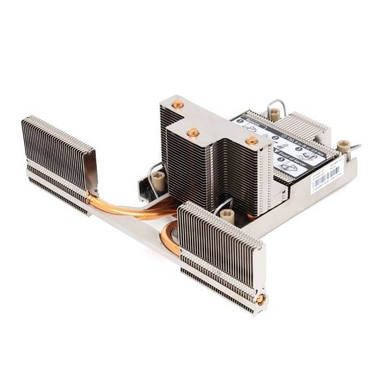
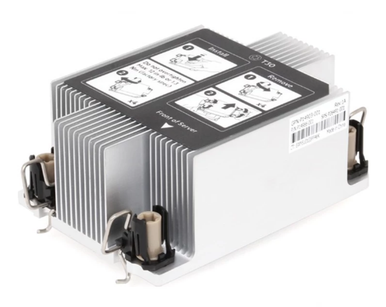
HPE DL380 Gen11 Fans & Cooling brings together related product listings for comparison.
Select the individual SKU and its stated condition before ordering. Options may have different included parts, configuration requirements, and availability. This collection is not a separate manufacturer part number.
Helpful answers for the product or service you are exploring.
Where should I verify a DL380 Gen11 configuration?
HPE ProLiant DL Servers
Use the DL380 Gen11 QuickSpecs for the supported processor, memory, storage, networking and configuration options. Match the document to the exact product and bill of materials; the family name alone does not describe what a quoted server includes.
Can a large NVMe configuration require a high-performance fan kit?
Fans & Cooling
Yes. DL380 Gen11 QuickSpecs ties specified NVMe and EDSFF bundles to high-performance fan selection and other enablement parts. Review the complete bundle requirements before adding drives; a drive-only order can omit required cooling hardware.
Browse fans and cooling kits. Send the server product number and installed part label to CBS for a configuration-specific match.
Why did fan speeds rise after replacing a component?
Fans & Cooling
Check iLO temperatures, supported fan and heatsink selection, baffles and blanks. HPE lists disrupted airflow and unsupported thermal components among causes of high speed. Diagnose the thermal condition before replacing working fans.
Browse fans and cooling kits. Send the server product number and installed part label to CBS for a configuration-specific match.
Can a missing blank or air baffle cause overheating even when all fans spin?
Fans & Cooling
Yes. Required blanks and baffles control the airflow path. Restore the model’s documented airflow configuration and check for cable obstructions; spinning fans alone do not establish adequate cooling.
Browse fans and cooling kits. Send the server product number and installed part label to CBS for a configuration-specific match.
What should I collect before ordering a fan for an overheating server?
Fans & Cooling
Record iLO fan status, temperature readings and IML or POST events, then identify the model-specific fan location and part. This distinguishes a failed fan from airflow blockage or a local hot spot.
Browse fans and cooling kits. Send the server product number and installed part label to CBS for a configuration-specific match.