



HPE DL385 Gen11 System Boards
HPE DL385 Gen11 System Boards brings together related product listings for comparison.
Select the individual SKU and its stated condition before ordering. Options may have different included parts, configuration requirements, and availability. This collection is not a separate manufacturer part number.
Product images
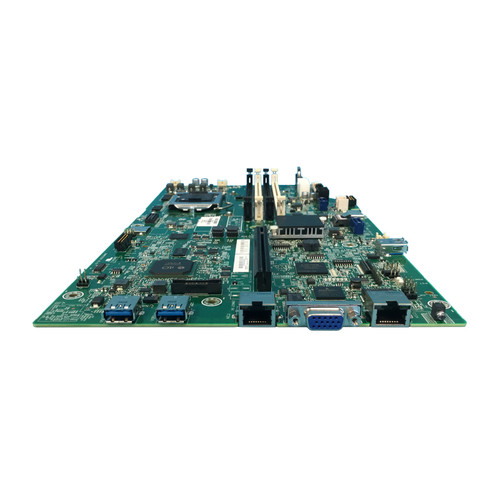
Contact CBS for product specifications.
Available inventory
| Inventory type | SKU | In stock |
|---|
Stock updated 2026-11-09. Availability is confirmed with your quote; requested quantities do not reserve stock.
Documents
Product literature and technical documentation.
- ReferenceDocumentation Directory
HPE QuickSpecs documentation directory — general reference; search the exact SKU and target system
Questions & Answers
Related questions
Helpful answers for the product or service you are exploring.
Can DDR4 memory from a DL385 Gen10 be reused in DL385 Gen11?
HPE ProLiant DL Servers
No. DL385 Gen11 uses DDR5 registered Smart Memory. Its memory speed and qualified capacity depend on the installed EPYC generation and configuration. Plan new qualified DIMMs and follow the Gen11 population rules rather than transferring DDR4 modules.
Explore DL385 GEN11 configurations and options.
HPE product documentation · Reviewed
Does every ProLiant Gen11 server use the same kind of DDR5 DIMM?
Servers
No. For example, entry platforms such as DL20 Gen11 specify ECC UDIMMs, while platforms such as DL385 Gen11 specify RDIMMs. Match the exact server’s DIMM technology before considering capacity, rank or speed.
HPE product documentation · Reviewed
What helps identify a replacement system board?
System Boards
Provide the server product number and the spare number on the board, plus a clear label photograph if available. Ask for the exact service replacement to be identified before ordering; the server family name alone may be incomplete.
What must be restored after replacing a server system board?
System Boards
Follow the model’s service guide to restore the correct chassis serial number and product ID and review firmware and system settings. Preserve the original identity and configuration before service. Have qualified personnel perform identity changes only as directed for the original chassis.
HPE product documentation · Reviewed
Can I diagnose multiple memory-channel errors by replacing every DIMM?
System Boards
Collect the IML and AHS evidence first. Errors affecting several channels associated with one processor can involve a shared path such as the CPU interface or system board. Verify population and the fault pattern before selecting replacement components.
HPE product documentation · Reviewed