


HPE ProLiant BL465C Gen7 Configurations
Browse available HPE ProLiant BL465C Gen7 Configurations. Select a specific configuration from the products below. Each child SKU retains its own technical details, compatibility information, condition, and inventory handling.
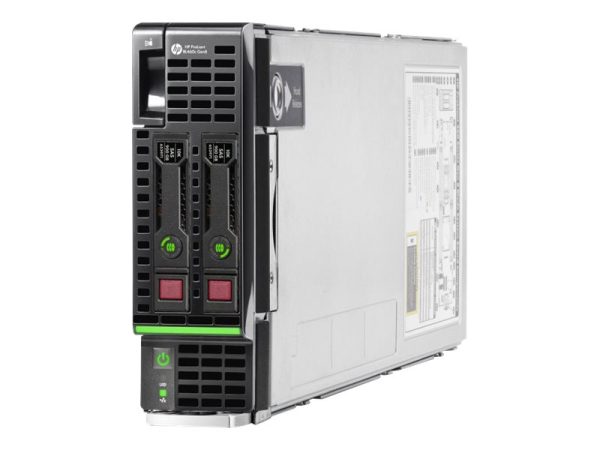
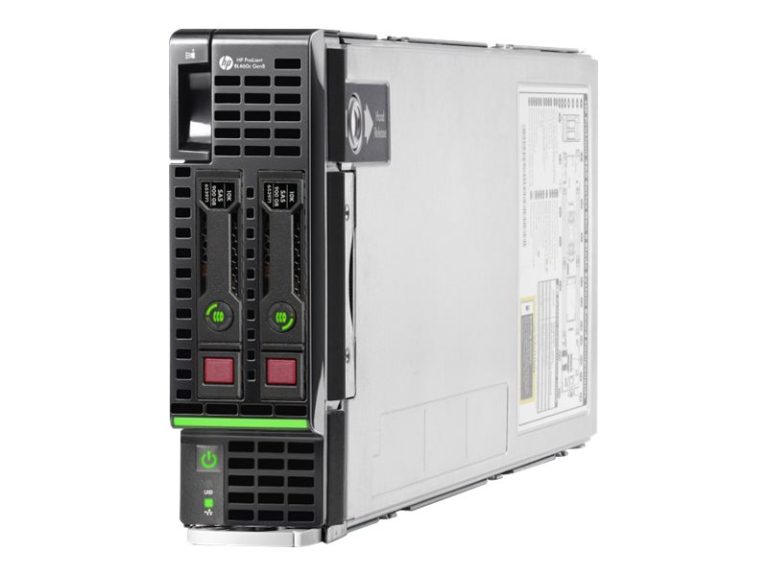
Product images
Contact CBS for product specifications.
Available inventory
| Inventory type | SKU | In stock |
|---|
Stock updated 2026-11-09. Availability is confirmed with your quote; requested quantities do not reserve stock.
Questions & Answers
Related questions
Helpful answers for the product or service you are exploring.
Does BL465c G7 memory population follow an Intel blade’s channel diagram?
HPE ProLiant BL Servers
Use the AMD blade’s own guide. HPE documents four channels per processor and specific minimum DIMM and rank rules for BL465c G7. Match registered versus unbuffered technology and balance memory across installed processors rather than borrowing an Intel blade diagram.
HPE product documentation · Reviewed
Should BL465c G7 memory errors always be treated as failed DIMMs?
HPE ProLiant BL Servers
No. Capture the event details, module part numbers and System ROM version. HPE has published a specific firmware advisory for certain BL465c G7 memory configurations. Check whether that advisory applies before replacing multiple modules or assuming that every POST memory error has the same cause.
HPE product documentation · Reviewed
Does BL465c G7 keep the DDR2 memory used in BL465c G6?
HPE ProLiant BL Servers
No. BL465c G7 uses DDR3 and has 16 slots across four channels per processor. HPE requires at least two DIMMs per installed processor. Use the G7 rank and channel rules and keep registered and unbuffered memory separate; DDR2 modules from G6 cannot be reused.
Related server: HPE ProLiant BL465C Gen7 Configurations.
Browse server memory. Match the exact platform and option number before selecting a part.
HPE BL465C GEN7 documentation · Reviewed
What information helps identify a replacement ProLiant BL blade?
HPE ProLiant BL Servers
Provide the full BL model and generation, enclosure model, server product number and the component or blade being replaced. Include the installed networking and storage connections so the request covers the intended enclosure configuration.
What should I check before buying a blade or modular server?
Blade & Modular Servers
Identify the enclosure or frame first. Include its generation, installed management and interconnect modules, available bays and the compute module you want to add. Ask for a review of the complete environment before ordering a standalone module.