
CreativeBusinessSolutions
Search
  • +1 (888) 889-8940
00 items
  • THE CBS HARDWARE CATALOG

    What are you looking for?

    Browse by hardware family, then refine your selection.View all products

    Find your HPE server family

    • Rack Servers
      • ProLiant DL
      • Mission-Critical & Edge
      • Apollo Systems
      • DX & Hyperconverged
    • Tower & Micro
      • ProLiant ML
      • MicroServer
    • Blade & Modular
      • ProLiant BL
      • Synergy & Modular
      • ProLiant XL Nodes
      • ProLiant SL Nodes
    View all Servers

    Find the right storage

    • Solid State Drives
      • SAS SSDs
      • SATA SSDs
      • M.2 SSDs
      • NVMe SSDs
      • PCIe Card SSDs
    • Hard Drives
      • SAS Hard Drives
      • SATA Hard Drives
    • Systems & Enclosures
      • Expansion Enclosures
      • Storage Systems
    • Storage Components
      • Batteries & Cache
      • Boot & Flash Media
      • Drive Cages & Backplanes
      • Optical Drives
      • Controllers & HBAs
    View all Storage

    Explore server components

    Performance & memory

    • Memory
    • Processors
    • GPUs & Accelerators

    Power & cooling

    • Power Supplies
    • Fans & Cooling

    Chassis & expansion

    • Chassis & Bezels
    • Rails & Mounting
    • Risers & Expansion

    Boards & management

    • System Boards
    • Management & Security
    View all Server Components

    Connect your infrastructure

    Network equipment

    • Switching & Routing
      • Network Switches
      • Routers & Gateways
    • Access Points & Controllers

    Connections & accessories

    • Network Adapters
    • Optics & Transceivers
    • Network Cables
    • Network Accessories
    View all Networking

    Build your Aruba network

    Switching, wireless & control

    • Network Switches
    • Switch Modules
    • Wireless Access Points
    • Controllers & Gateways
    • Management & Licensing

    Connections & accessories

    • Transceivers & Optics
    • Stacking & Data Cables
    • Power & PoE
    • Mounting & Accessories
    View all Aruba Networking

    Power your infrastructure

    Power EquipmentBrowse all power equipmentPower Distribution Units & AccessoriesRack power distributionUPS SystemsBackup power protectionKVM & ConsolesConsole access & control
    View all Power & Rack
  • HPE Renew
  • Replacement Parts
  • Configuration & IntegrationHardware configuration supportOrdering & ShippingDelivery and fulfillment information
  • Product FAQsAnswers to common product questionsServices & Ordering FAQsOrdering, shipping and support informationBlog & Buying GuidesInsights, tips and product guides
  • About CBS
  • Contact Us
  • Start a QuoteCompare ProductsQuote List
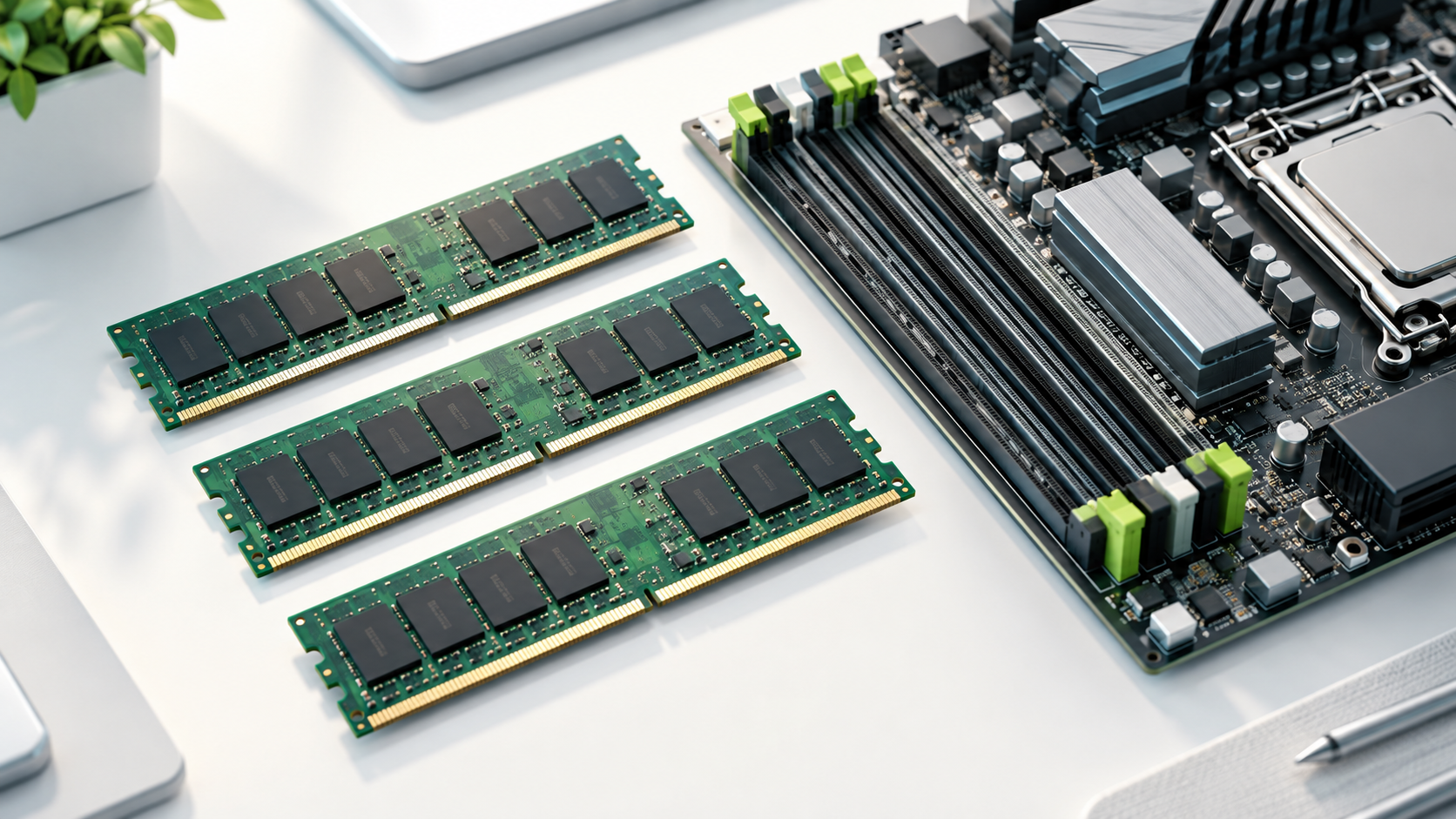
Conceptual server memory modules aligned beside motherboard memory slots

HPE ProLiant Memory Upgrade Checklist: What to Verify Before Ordering

Adam Alexander2026-10-27T10:20:57-04:00
Servers & Upgrades Hardware Upgrades, HPE ProLiant, Server Memory

Adding RAM can be a useful way to extend a server’s working life, but ordering by capacity alone leaves too many questions unanswered. The right upgrade must match the platform, installed processors, existing modules, and the manufacturer’s population rules.

Use this checklist to prepare a clear parts request. It is a planning guide; the exact server’s documentation controls which modules and slot arrangements are supported.

1. Confirm that memory is the constraint

Before ordering, record memory utilization during busy periods and investigate application symptoms. Include the hypervisor or operating system’s relevant memory-pressure indicators. A slow application may have a storage, processor, network, or software problem that additional RAM will not resolve.

Describe the objective in measurable terms: support an identified set of additional virtual machines, reduce observed memory pressure, or meet an application’s documented requirement. That makes the upgrade easier to size and verify afterward.

2. Identify the full platform

  • Server model and generation, including Plus or other variant names.
  • Product identifier and installed processor model or models.
  • Number of installed processors.
  • Current firmware baseline and relevant management inventory.
  • Target memory capacity and the intended application change.

Keep the exact identifiers. A generation name is not a complete compatibility specification, and an option from a similarly named server is not automatically interchangeable.

3. Inventory the existing DIMMs

Create a slot-by-slot record before proposing additions. Capture each module’s part number, capacity, memory technology, module type, and reported speed. Save the inventory with the proposed bill of materials so the installer can compare the planned arrangement with the physical system.

Where inventory is incomplete, resolve it before purchasing. Do not assume empty-looking slots are usable or that every installed module is the same. An upgrade may involve adding modules, replacing modules, or a different supported arrangement.

4. Read the rules for this exact server

HPE’s Gen10 Plus memory matrix illustrates why processor and slot details matter: it ties available slots to installed processors, recommends balancing memory across processors, and explains that speed depends on processor and memory configuration. These are rules for the documented platform scope, not a slot map for every ProLiant.

Use the matching guide through HPE’s memory-population documentation and the server QuickSpecs. Confirm supported module types, capacities, mixing restrictions, installation order, and the resulting operating speed. A module’s label speed does not by itself establish the speed of the final configuration.

5. Compare a complete proposed layout

Ask for the final slot arrangement, not only a count of new modules. Compare keeping the existing memory with replacing part of it. Consider the target capacity, population balance, supported performance, remaining expansion options, and total purchase cost.

For example, a request for another 128 GB leaves several possible arrangements unresolved. A request that includes the current slot inventory, processor count, target capacity, and population guide gives the reviewer enough information to evaluate specific options. The example does not prescribe a module count.

6. Plan installation and acceptance

Schedule an approved maintenance window, capture the current state, and follow the server’s service and handling instructions. After installation, verify detected capacity and slot inventory, review hardware logs, run appropriate diagnostics, and compare the original workload measurements. Keep a recovery plan for restoring the previous arrangement if the upgrade does not validate.

Browse CBS server memory or send your inventory with a quote request. If the project involves replacing the whole host, our rack-server comparison can help structure the wider decision.

Related Posts

Conceptual comparison of slim and taller rack server chassis

HPE DL360 vs. DL380 Gen11: How to Choose the Right Rack Server

Compare the DL360 Gen11 and DL380 Gen11 by rack space, expansion needs, storage layout, and the complete configuration your workload... read more

Recent Posts

  • RAID Is Not a Backup: Plan Server Storage Around Recovery
  • HPE ProLiant Memory Upgrade Checklist: What to Verify Before Ordering
  • Enterprise SSD Buying Guide: Interface, Endurance, and Workload Fit
  • HPE DL360 vs. DL380 Gen11: How to Choose the Right Rack Server
  • HPE Renew vs. Refurbished Hardware: A Buyer’s FAQ

Subscribe To Our Newsletter

Get all the latest information on Events, Sales and Offers.

    CUSTOMER SERVICE

    • Help & FAQs
    • Order Tracking
    • Shipping & Delivery
    • Orders History
    • Advanced Search
    • Login

    ABOUT US

    • About Us
    • Careers
    • Our Stores
    • Corporate Sales
    • Careers

    MORE INFORMATION

    • Affiliates
    • Refer a Friend
    • Student Beans Offers
    • Gift Vouchers

    SOCIAL MEDIA

    Instagram Twitter Facebook-f

    Porto eCommerce. © 2026. All Rights Reserved

    • MAIN MENU
    • CATEGORIES
    Creative Business Solutions
      • Rack Servers
        • ProLiant DL
        • Mission-Critical & Edge
        • Apollo Systems
        • DX & Hyperconverged
      • Tower & Micro
        • ProLiant ML
        • MicroServer
      • Blade & Modular
        • ProLiant BL
        • Synergy & Modular
        • ProLiant XL Nodes
        • ProLiant SL Nodes
      View all Servers
      • Solid State Drives
        • SAS SSDs
        • SATA SSDs
        • M.2 SSDs
        • NVMe SSDs
        • PCIe Card SSDs
      • Hard Drives
        • SAS Hard Drives
        • SATA Hard Drives
      • Systems & Enclosures
        • Expansion Enclosures
        • Storage Systems
      • Storage Components
        • Batteries & Cache
        • Boot & Flash Media
        • Drive Cages & Backplanes
        • Optical Drives
        • Controllers & HBAs
      View all Storage

      Performance & memory

      • Memory
      • Processors
      • GPUs & Accelerators

      Power & cooling

      • Power Supplies
      • Fans & Cooling

      Chassis & expansion

      • Chassis & Bezels
      • Rails & Mounting
      • Risers & Expansion

      Boards & management

      • System Boards
      • Management & Security
      View all Server Components

      Network equipment

      • Switching & Routing
        • Network Switches
        • Routers & Gateways
      • Access Points & Controllers

      Connections & accessories

      • Network Adapters
      • Optics & Transceivers
      • Network Cables
      • Network Accessories
      View all Networking

      Switching, wireless & control

      • Network Switches
      • Switch Modules
      • Wireless Access Points
      • Controllers & Gateways
      • Management & Licensing

      Connections & accessories

      • Transceivers & Optics
      • Stacking & Data Cables
      • Power & PoE
      • Mounting & Accessories
      View all Aruba Networking
      Power EquipmentBrowse all power equipmentPower Distribution Units & AccessoriesRack power distributionUPS SystemsBackup power protectionKVM & ConsolesConsole access & control
      View all Power & Rack Infrastructure
      View all products
    • HPE Renew
    • Replacement Parts
    • Configuration & IntegrationHardware configuration supportOrdering & ShippingDelivery and fulfillment information
    • Product FAQsAnswers to common product questionsServices & Ordering FAQsOrdering, shipping and support informationBlog & Buying GuidesInsights, tips and product guides
    • About CBS
    • Contact Us
    • Start a QuoteCompare ProductsQuote List
    (888) 889-8940
    • > Shop All Categories
    • Servers
      • Blade & Modular Servers
        • HPE ProLiant BL Servers
        • HPE Modular Compute
        • HPE ProLiant XL Server Nodes
        • HPE ProLiant SL Server Nodes
      • Rack Servers
        • HPE Apollo Systems
        • HPE DX & Hyperconverged Systems
        • HPE ProLiant DL Servers
        • HPE Mission-Critical & Edge Servers
      • Tower & Micro Servers
        • HPE ProLiant ML Servers
        • HPE ProLiant MicroServer
    • Server Components
      • Chassis Bezels & Accessories
      • Fans & Cooling
      • GPUs & Accelerators
      • Management & Security Modules
      • Memory
      • Power Supplies
      • Processors
      • Rails & Mounting
      • Risers & Expansion
      • System Boards
    • Aruba Networking
      • Aruba Management & Licensing
      • Controllers & Gateways
      • Mounting & Hardware Accessories
      • Network & Stacking Cables
      • Network Switches
      • Power Supplies & PoE Injectors
    • HPE Networking
      • Network & Data Cables
      • Network Adapters
      • Networking Accessories
      • Optics & Transceivers
      • Switching & Routing
        • Network Switches
        • Routers & Gateways
      • Wireless Access Points & Controllers
    • Power & Rack Infrastructure
      • KVM & Console Management
      • Power Infrastructure
        • Power Distribution Units & Accessories
        • UPS Systems
    • Storage
      • Storage Components
        • Batteries & Cache Modules
        • Boot & Flash Media
        • Drive Cages & Backplanes
        • Optical Drives
        • Storage Controllers & HBAs
      • Hard Drives
        • SAS Hard Drives
        • SATA Hard Drives
      • Solid State Drives
        • SAS SSDs
        • SATA SSDs
        • M.2 SSDs
        • NVMe SSDs
        • PCIe Add-in Card SSDs
      • Storage Systems & Enclosures
        • Expansion Enclosures & Components
        • Storage Systems
      • Tape Storage & Media
    • Software & Licensing

    Let’s find the right hardware for you.

    Talk to CBS about products, configuration and support.

    (888) 889-8940
    Contact Us

    Catalog

    • All Products
    • Aruba
    • Networking
    • Power & Rack Infrastructure
    • Server Components
    • Servers
    • Software & Licensing
    • Storage

    Sourcing & support

    • Contact us
    • Configuration & integration
    • Ordering & shipping
    • Product FAQs
    • Services & ordering FAQs

    Company

    • Why CBS
    • HPE Renew
    • HPE Replacement Parts
    • Blog

    HPE Credentials

    HPE Renew DistributorHPE Replacement Parts DistributorHPE Aruba Networking

    © 2026 Creative Business Solutions

    Quote List 0Compare 0